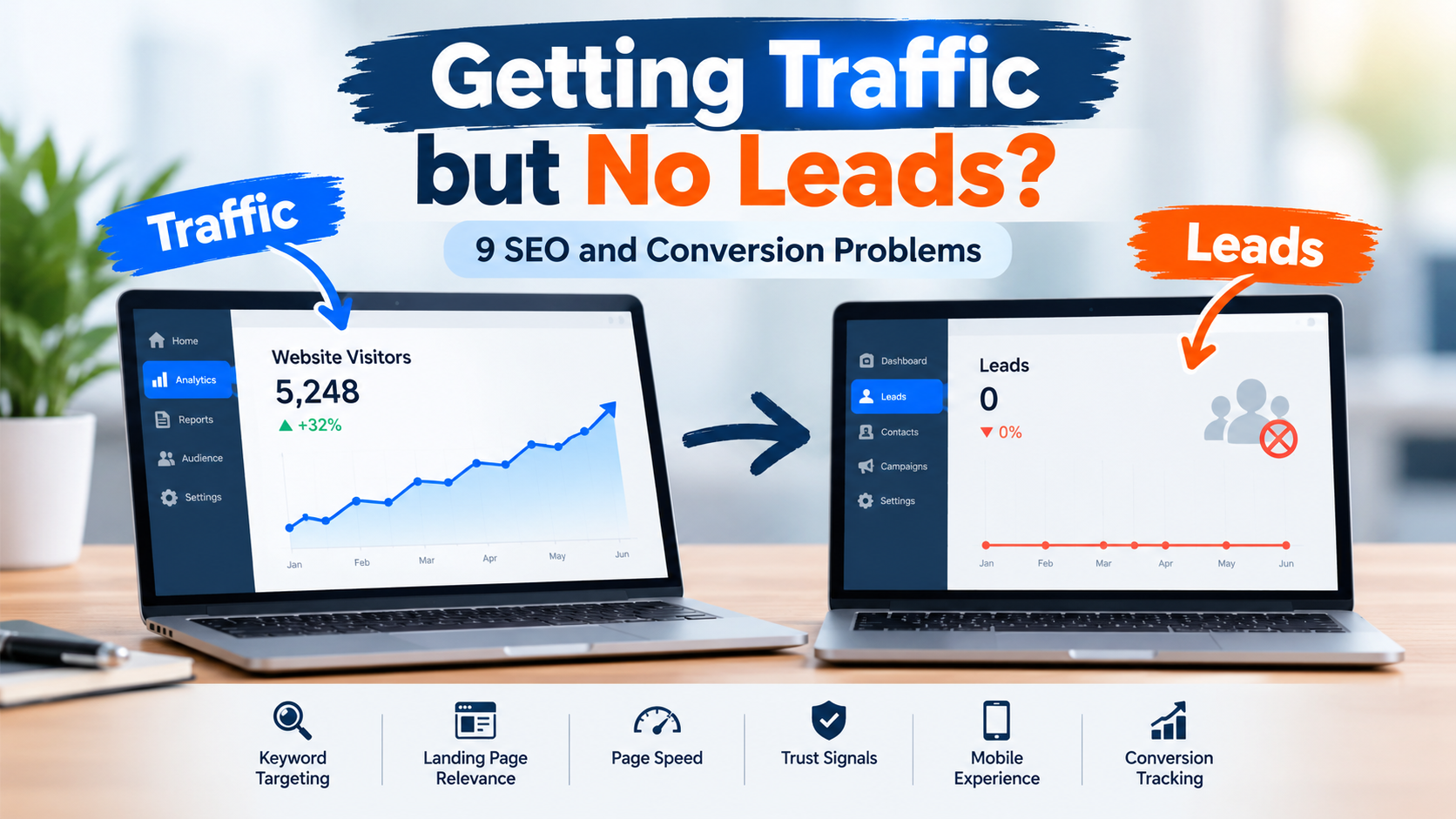
If your website receives visitors from Google but generates very few enquiries, calls, or sales, you are not alone. Many businesses invest in SEO, publish blogs, and improve their search rankings, yet struggle to convert website traffic into actual customers.
The problem is not always the amount of traffic your website receives. Sometimes, the real issue is the quality of visitors, the user experience, the landing page content, or the absence of a clear conversion strategy.
Website traffic is only valuable when it helps your business achieve its goals. Whether you want to generate leads, sell products, book consultations, or receive enquiries, your website needs to guide visitors towards taking action.
In this article, we will explore nine common SEO and conversion problems that prevent websites from generating leads and explain how you can fix them to improve your website's performance.
What Does It Mean When Your Website Gets Traffic but No Leads?
Website traffic refers to the number of people visiting your website, while leads are potential customers who show interest in your products or services by taking an action.
These actions might include:
- Filling out a contact form.
- Requesting a product demonstration.
- Booking a consultation.
- Calling your business.
- Downloading a resource.
- Subscribing to a newsletter.
- Requesting a quotation.
When your website attracts visitors but fails to generate these actions, there may be a gap between your SEO strategy and your conversion strategy.
For example, imagine that your website receives 5,000 visitors every month but generates only five enquiries. This means your visitor-to-lead conversion rate is just 0.1%.
Although this figure alone does not establish whether your website is performing poorly, it gives you a starting point for investigating potential problems.
The goal is not simply to attract more visitors. It is to attract the right visitors and make it easier for them to become potential customers.
1. Your Website Attracts the Wrong Audience
One of the most common reasons websites receive traffic without generating leads is that they attract people who are not interested in purchasing their products or services.
Your website may rank for keywords that generate clicks but have little commercial value.
For example, a company offering professional SEO services might receive traffic from searches such as "What is SEO?" or "SEO full form." These searches often come from students, beginners, and people looking for general information rather than businesses ready to hire an SEO agency.
Although informational content can build brand awareness and establish authority, it may not generate immediate enquiries.
Why This Problem Occurs
Several factors can attract the wrong audience:
- Targeting broad keywords without understanding search intent.
- Publishing content unrelated to your core services.
- Focusing exclusively on search volume.
- Ignoring keywords that indicate a purchasing decision.
- Attracting visitors from locations your business does not serve.
How to Fix It
Start by reviewing the keywords that bring visitors to your website. Identify whether those searches indicate informational, commercial, or transactional intent.
For example, compare these keywords:
| Keyword | Likely Search Intent | Potential Business Value |
|---|---|---|
| What is digital marketing? | Informational | Awareness and education |
| Best digital marketing agency for small businesses | Commercial | Comparing service providers |
| Hire a digital marketing agency | Transactional | Stronger potential to generate leads |
| Digital marketing agency pricing | Commercial | Evaluating costs and options |
Build your SEO strategy around a mix of search intents, but ensure that your most important service pages target relevant commercial and transactional keywords.
The key is to attract visitors who have a problem your business can solve.
2. Your Landing Pages Do Not Match Search Intent
Getting a visitor to click your website is only the first step. What happens after the click determines whether that visitor continues exploring or leaves.
If someone searches for a specific service but lands on a generic homepage, they may struggle to find the information they need.
For instance, a user searching for CRM implementation services expects to find information about CRM implementation, not a general introduction to every service your company offers.
When a landing page does not meet the visitor's expectations, trust and engagement can decline.
Why Landing Page Relevance Matters
Search intent reflects what users want to accomplish when they enter a query into a search engine.
A relevant landing page should answer the user's main questions quickly:
- Does this business provide the service I need?
- Can it solve my specific problem?
- What makes this business different?
- How much might the service cost?
- What should I do next?
If visitors cannot find these answers, they may leave without enquiring.
How to Fix It
Create dedicated landing pages for your main services, products, and customer segments.
Each page should include:
- A clear headline that matches the visitor's search.
- A short explanation of the service.
- The problems your solution addresses.
- Key benefits and differentiators.
- Relevant testimonials, case studies, or examples.
- Answers to common customer questions.
- A clear call to action.
For example, instead of using a generic heading such as "Welcome to Our Website," an SEO agency could use:
"SEO Services That Help Small Businesses Improve Search Visibility and Generate Qualified Leads."
This immediately communicates the service, audience, and intended benefit.
Make sure the page delivers on that promise with useful and accurate information.
3. Your Website Has No Clear Call to Action
A visitor might be interested in your business but still leave without contacting you because the next step is unclear.
This happens when websites provide plenty of information but fail to guide users towards a meaningful action.
A call to action (CTA) tells visitors what they can do next. Examples include "Book a Free Consultation," "Request a Quote," "Get a Demo," and "Contact Our Team."
Without a clear CTA, visitors must decide for themselves how to proceed. Some will leave rather than search for the right page or contact details.
Common CTA Mistakes
- Hiding the contact button at the bottom of a long page.
- Using vague text such as "Click Here."
- Displaying too many competing buttons.
- Making the CTA difficult to read.
- Asking visitors to complete lengthy forms too early.
- Using the same CTA for every audience and situation.
How to Fix It
Place a primary CTA where visitors can easily find it, especially near the top of important landing pages and after sections explaining your value.
Use action-oriented language that communicates the next step.
For example:
| Business Goal | Recommended CTA |
|---|---|
| Generate service enquiries | Request a Free Consultation |
| Sell software | Start Your Free Trial |
| Generate B2B leads | Book a Strategy Call |
| Sell products | Shop Now |
| Collect project requirements | Request a Custom Quote |
| Build an email audience | Subscribe for Updates |
Your CTA should also match the visitor's stage in the buying journey.
Someone who is just learning about a problem may prefer a helpful guide, while someone comparing service providers may be ready to book a consultation.
Make the next step obvious, relevant, and easy to complete.
4. Your Website Loads Too Slowly
Website speed is an important part of user experience. If your pages take too long to load, visitors may leave before they even see your offer.
Slow websites can be particularly frustrating for mobile users, people with unreliable internet connections, and visitors who want quick answers.
Even when a website ranks well on Google, a poor loading experience can create friction that affects engagement and conversions.
What Makes a Website Slow?
Common causes include:
- Large, uncompressed images.
- Excessive JavaScript and CSS.
- Too many third-party scripts.
- Poor hosting performance.
- Unnecessary plugins.
- Heavy animations and visual effects.
- Poor caching configuration.
How to Fix It
Start by testing important pages with Google's PageSpeed Insights tool.
The tool helps you evaluate performance on mobile and desktop and identifies potential improvements.
Focus on these actions:
Optimize images: Compress images and use suitable formats such as WebP or AVIF where appropriate.
Reduce unnecessary scripts: Remove unused plugins, tracking scripts, and code that does not contribute to the user experience.
Improve caching: Configure browser and server caching to reduce repeated loading work.
Review hosting performance: If your hosting environment is consistently slow, consider whether a more suitable plan or infrastructure is necessary.
Improve Core Web Vitals: Pay attention to loading performance, responsiveness, and visual stability.
Google's Core Web Vitals include Largest Contentful Paint (LCP), Interaction to Next Paint (INP), and Cumulative Layout Shift (CLS). Google's recommended thresholds are LCP of 2.5 seconds or less, INP of 200 milliseconds or less, and CLS of 0.1 or less, measured at the 75th percentile of page visits.
You can evaluate performance using Google PageSpeed Insights.
Remember that a faster website does not automatically guarantee more leads, but reducing technical friction can make it easier for visitors to explore your content and complete important actions.
5. Your Website Does Not Build Enough Trust
Imagine visiting a company website for the first time. You find an interesting service, but there are no customer reviews, case studies, team details, or clear contact information.
Would you feel comfortable sharing your personal information or paying for the service?
Many potential customers ask similar questions before contacting a business.
Trust is especially important for businesses offering expensive services, B2B solutions, professional consulting, or products that require customers to share personal information.
Signs Your Website May Lack Trust
- No testimonials or customer reviews.
- No clear company information.
- Outdated content or broken pages.
- Missing contact details.
- Unsupported claims about results.
- No examples of previous work.
- Unclear privacy practices.
- Poorly written or inconsistent website content.
How to Fix It
Build trust by demonstrating credibility rather than simply claiming that your business is reliable.
Consider adding:
Customer testimonials: Share genuine customer feedback with permission.
Case studies: Explain the customer's problem, the solution you provided, and the measurable outcome where evidence is available.
About Us page: Introduce your company, team, experience, and approach.
Clear contact information: Provide appropriate business contact details and a straightforward enquiry process.
Relevant credentials: Display legitimate certifications, professional qualifications, or industry memberships.
Transparent policies: Make relevant privacy, refund, delivery, and service terms easy to find.
For example, instead of saying, "We deliver outstanding marketing results," explain how your team helped a particular client improve organic traffic, increase qualified enquiries, or reduce customer acquisition costs, provided you have reliable data to support the claim.
Specific evidence is more persuasive than vague promises.
6. Your Contact Form Is Too Complicated
A contact form is often the final step between a website visitor and a potential lead. Unfortunately, unnecessary fields and confusing layouts can prevent users from completing it.
Consider a visitor who wants to request an initial consultation. If the form asks for their name, email, phone number, company size, annual revenue, budget, location, industry, and several other details, the process may feel unnecessarily demanding.
Some businesses need detailed information to qualify leads, but asking for everything upfront can create avoidable friction.
Common Contact Form Problems
- Too many mandatory fields.
- Poorly labelled input fields.
- Confusing error messages.
- Forms that do not work properly on mobile.
- Unclear privacy information.
- No confirmation after submission.
- Technical errors that prevent successful submissions.
How to Fix It
Keep the form as short as practical for your business requirements.
For a basic enquiry form, you might only need:
- Name.
- Business email or preferred contact method.
- Service of interest.
- A short message.
You can collect additional information during a follow-up conversation.
Make sure the form is easy to use on mobile devices, displays helpful validation messages, and confirms when an enquiry has been submitted successfully.
You should also test whether submissions actually reach your inbox or customer relationship management (CRM) system.
A form that looks correct but fails to deliver enquiries can silently damage your lead generation efforts.
Tip: Track successful form submissions rather than counting every visit to a page containing a form. This gives you a more reliable picture of actual conversions.
7. Your Content Focuses on Keywords Instead of Customer Problems
SEO content helps businesses attract visitors, answer questions, and demonstrate expertise. However, content that focuses exclusively on keyword placement may fail to convince readers to take the next step.
A page can mention the target keyword repeatedly and still provide little practical value.
For example, an article targeting "CRM software for small businesses" should do more than repeat that phrase. Readers may want to understand which features matter, how much CRM software costs, what implementation involves, and how to choose a suitable solution.
When content does not answer these questions, visitors may leave to find a more useful resource.
Why This Problem Happens
Businesses sometimes create content primarily to rank for keywords without considering the questions potential customers need answered before making a decision.
This can result in:
- Generic articles that offer little new information.
- Repetitive content across multiple pages.
- Unsupported marketing claims.
- Missing comparisons and practical examples.
- No connection between educational content and relevant services.
- Weak internal linking.
How to Fix It
Build content around your audience's problems, questions, and decision-making process.
For each important topic, ask:
- What problem is the reader trying to solve?
- What information do they need to make a decision?
- What mistakes should they avoid?
- What practical steps can they take?
- What related service or resource could help them further?
Use examples, original insights, relevant data, and actionable advice wherever possible.
You should also connect informative blog posts to relevant service pages through natural internal links.
For instance, a blog explaining the benefits of CRM automation could link to a relevant CRM implementation or automation service page.
The link should help readers discover a logical next step rather than interrupting the article with an unrelated sales pitch.
Google's SEO guidance emphasizes creating helpful, reliable, people-first content. You can review the recommendations in the Google Search Central SEO Starter Guide.
8. Your Website Is Not Optimized for Mobile Users
A website may look professional on a desktop computer but become difficult to use on a smartphone.
This can create a serious conversion problem because visitors may encounter small buttons, crowded layouts, difficult forms, or text that requires constant zooming.
A mobile visitor who cannot easily navigate your website may leave even when your services are relevant.
Common Mobile Usability Problems
- Text that is too small to read comfortably.
- Buttons that are difficult to tap.
- Horizontal scrolling.
- Pop-ups that cover important content.
- Images that do not resize correctly.
- Navigation menus that are difficult to use.
- Forms that require excessive typing.
- Phone numbers that are not easy to interact with.
How to Fix It
Test your important landing pages on different screen sizes rather than relying exclusively on desktop previews.
Use a responsive design that adapts to different devices.
Keep paragraphs readable, provide sufficient spacing around buttons, and make navigation straightforward.
For lead generation, consider whether mobile users can contact you with minimal effort. Depending on your business, a clearly visible contact button, click-to-call option, or short enquiry form may improve the experience.
Review your mobile analytics separately from desktop performance.
If mobile traffic is high but mobile enquiries are unusually low, investigate differences in page speed, usability, traffic sources, and conversion paths.
Do not assume the design is the only problem. The visitors arriving on mobile devices may also have different needs or intent.
9. You Are Not Tracking the Right SEO and Conversion Metrics
One of the biggest mistakes businesses make is measuring success exclusively through traffic, keyword rankings, or page views.
These metrics help you understand website visibility, but they do not tell you whether visitors are becoming potential customers.
If you do not track conversions, you may continue investing in pages that attract large numbers of visitors but generate few meaningful business outcomes.
Metrics You Should Monitor
| Metric | What It Helps You Understand |
|---|---|
| Organic traffic | How many visitors arrive through unpaid search results |
| Search impressions | How often your pages appear in search results |
| Click-through rate (CTR) | How frequently impressions result in clicks |
| Landing page engagement | How visitors interact with important pages |
| Conversion rate | The proportion of visitors who complete a defined action |
| Form completion rate | How effectively your forms turn starts into submissions |
| Lead quality | Whether enquiries match your target customer profile |
| Lead-to-customer rate | How effectively qualified leads become customers |
| Cost per lead | How much it costs to generate a lead through a given channel |
How to Fix It
Use Google Search Console to understand search impressions, clicks, queries, and organic search performance.
Use an analytics platform, such as Google Analytics, to measure user behaviour and configure appropriate conversion events.
For lead generation, track actions such as:
- Successful contact form submissions.
- Consultation bookings.
- Qualified phone enquiries.
- Demo requests.
- Purchases or completed registrations, where relevant.
Where possible, connect website enquiries with your CRM so you can identify which channels and landing pages generate qualified leads and paying customers.
This is important because not every enquiry represents a genuine business opportunity.
For example, a page that generates 50 enquiries but only one suitable prospect may be less valuable than a page that generates 15 enquiries with eight qualified prospects.
Measure the business outcomes of your SEO strategy, not just the number of people who visit your website.
You can use Google Search Console to review search performance and Google Analytics to analyse website interactions and conversions.
How to Turn Website Traffic Into More Leads
Identifying the problems is only the first step. You also need a practical strategy to improve your website's ability to convert visitors.
Rather than changing everything at once, focus on the pages and issues that are most likely to affect business performance.
Step 1: Identify Your Most Important Landing Pages
Review the pages that receive the most organic traffic and those designed to generate enquiries.
Start with your service pages, pricing pages, product pages, and popular blog posts that attract relevant visitors.
Step 2: Compare Traffic With Conversion Performance
Identify pages that receive significant traffic but generate few enquiries.
Investigate whether the issue relates to search intent, content relevance, page experience, trust, or the conversion process.
Step 3: Improve Your Calls to Action
Make the next step clear and relevant to each page.
For a service page, this might be requesting a consultation. For an educational article, it might be reading a related guide or exploring a relevant service.
Step 4: Reduce Friction
Improve loading speed, simplify forms, resolve navigation issues, and ensure that the website works well on mobile devices.
Step 5: Test Changes and Measure Results
Make focused improvements and monitor their effects over time.
For example, you could test two different CTA messages, simplify a form, or rewrite a landing page headline.
Compare results using the same measurement period and account for changes in traffic volume, audience composition, and seasonality.
Avoid assuming that every improvement will produce an immediate increase in leads. Some changes need more time and sufficient data to evaluate reliably.
A Simple Website Lead Generation Audit Checklist
Use this checklist to identify possible conversion problems on your website.
| Audit Area | Questions to Ask |
|---|---|
| Keyword targeting | Are we attracting visitors who are likely to need our products or services? |
| Search intent | Does each landing page match what the visitor expects to find? |
| Content quality | Does the content answer important customer questions? |
| Calls to action | Is the next step clear and easy to find? |
| Website speed | Do our important pages load and respond efficiently? |
| Trust signals | Can visitors verify our credibility and understand who we are? |
| Contact forms | Are forms simple, functional, and easy to complete? |
| Mobile experience | Can smartphone users navigate and enquire without difficulty? |
| Conversion tracking | Can we identify which pages and channels generate leads? |
| Lead quality | Are the enquiries relevant to our business goals? |
Review these areas regularly, especially when publishing new landing pages, launching campaigns, or making significant website changes.
Conclusion
Getting website traffic but no leads does not necessarily mean your SEO strategy has failed. It may indicate that your website is attracting the wrong audience, failing to meet visitor expectations, or making it difficult for potential customers to take action.
The solution is to look beyond rankings and traffic numbers.
Focus on relevant keywords, useful content, landing page alignment, website speed, trust signals, simple contact forms, mobile usability, and accurate conversion tracking.
Most importantly, connect your SEO strategy with your business objectives. Every important page should serve a purpose, answer a customer need, and provide a logical next step.
Remember: the real value of SEO is not simply bringing people to your website. It is helping the right people find your business, trust your solution, and take meaningful action.
Start by auditing your highest-traffic pages and identifying where visitors leave without converting. Even small, evidence-based improvements can help you build a more effective website and create a stronger foundation for sustainable lead generation.