In today’s digital-first world, having a visually appealing website is not enough. Users expect websites to load quickly, respond smoothly, and provide information without unnecessary waiting. A slow website can frustrate visitors, increase bounce rates, reduce conversions, and negatively affect how your website performs in search engines.
Website speed has become an important part of modern digital marketing because it connects three critical areas of online success: SEO, user experience, and conversions. Whether you operate an e-commerce store, SaaS platform, business website, blog, or service-based company, improving website performance can help you attract visitors and turn more of them into customers.
Google also considers page experience and performance-related signals when evaluating websites. This means website owners need to think beyond keywords and backlinks and pay attention to how quickly and smoothly their websites work.
In this article, we will explore how website speed affects SEO, user experience, and conversions, why page speed matters for businesses, and practical ways to improve website performance.
What Is Website Speed?
Website speed refers to how quickly a webpage loads and becomes usable for visitors after they request it.
It can include several different aspects of performance, such as:
-
How quickly the initial page content appears
-
How quickly the main content becomes visible
-
How quickly users can interact with the page
-
How stable the page remains while loading
-
How quickly the server responds to requests
Website speed is not always the same across devices. A website may load quickly on a high-speed desktop connection but perform poorly on a mobile device using a slower network.
This is why businesses should optimize websites for both desktop and mobile users.
Why Website Speed Matters for SEO
Search engine optimization is about more than keywords and backlinks. Search engines aim to provide users with useful, relevant, and high-quality results. Website performance can contribute to the overall experience users receive after clicking a search result.
A slow website can create problems throughout the search journey.
1. Website Speed Influences Page Experience
Google uses various page experience signals to understand how users experience webpages. Core Web Vitals are particularly important performance metrics that focus on loading performance, responsiveness, and visual stability.
The major Core Web Vitals include:
-
Largest Contentful Paint (LCP): Measures loading performance.
-
Interaction to Next Paint (INP): Measures how quickly a page responds to user interactions.
-
Cumulative Layout Shift (CLS): Measures unexpected movement of page elements.
Improving these metrics can help create a smoother experience for visitors.
However, website speed should not be viewed as an isolated ranking trick. Relevance, content quality, search intent, authority, technical SEO, and many other factors also influence search visibility.
2. Slow Websites Can Increase Bounce Rates
Imagine searching for a product or service and clicking a promising result. The page takes several seconds to load. You wait, refresh the page, or simply return to Google and choose another result.
This behavior can indicate that the website is failing to provide a satisfactory experience.
While bounce rate itself is not simply a direct ranking factor, slow performance can influence user behavior and engagement. Poor engagement can ultimately hurt a website's ability to achieve its business and search goals.
3. Faster Websites Can Improve Crawling Efficiency
Search engines need to crawl websites to discover and understand their pages. For very large websites, inefficient performance can make crawling more difficult.
Improving server response times, reducing unnecessary resources, and maintaining a clean technical structure can help search engine crawlers access website content more efficiently.
This becomes especially important for:
-
E-commerce websites with thousands of product pages
-
News websites
-
Large blogs
-
Marketplaces
-
Enterprise websites
4. Mobile SEO Depends on Performance
A large portion of internet traffic comes from mobile devices. Mobile users may also experience slower network conditions or use less powerful devices.
A website that is optimized only for desktop users can therefore lose potential traffic and customers.
Mobile optimization should include responsive design, optimized images, efficient code, readable content, and fast loading times.
How Website Speed Affects User Experience
User experience, often abbreviated as UX, describes how visitors feel when interacting with a website.
Speed plays a major role in this experience.
1. Faster Websites Reduce Friction
Every additional moment a visitor spends waiting creates friction.
For example, a customer visiting an online clothing store may want to:
-
Open the homepage.
-
Browse products.
-
View a product.
-
Add it to the cart.
-
Complete checkout.
If every step involves delays, the customer may abandon the process.
A fast website removes unnecessary friction and allows users to move naturally through the customer journey.
2. Speed Builds a Better First Impression
Your website is often one of the first interactions a potential customer has with your brand.
A website that loads quickly can communicate:
-
Professionalism
-
Reliability
-
Efficiency
-
Attention to detail
On the other hand, broken layouts, slow-loading images, or delayed interactions can make a business appear less trustworthy.
3. Speed Is Especially Important on Mobile
Mobile users frequently browse websites while commuting, shopping, travelling, or multitasking.
They may also have limited data or inconsistent connectivity.
This makes performance particularly important for mobile websites.
Businesses should avoid unnecessary animations, oversized images, excessive pop-ups, and heavy scripts that make mobile pages difficult to use.
4. Faster Navigation Encourages More Engagement
When visitors can move quickly between pages, they are more likely to explore additional content.
For example, a digital marketing website with fast-loading blog pages may encourage a visitor to read several articles, explore services, view case studies, and eventually contact the company.
This creates a stronger overall user journey.
How Website Speed Affects Conversions
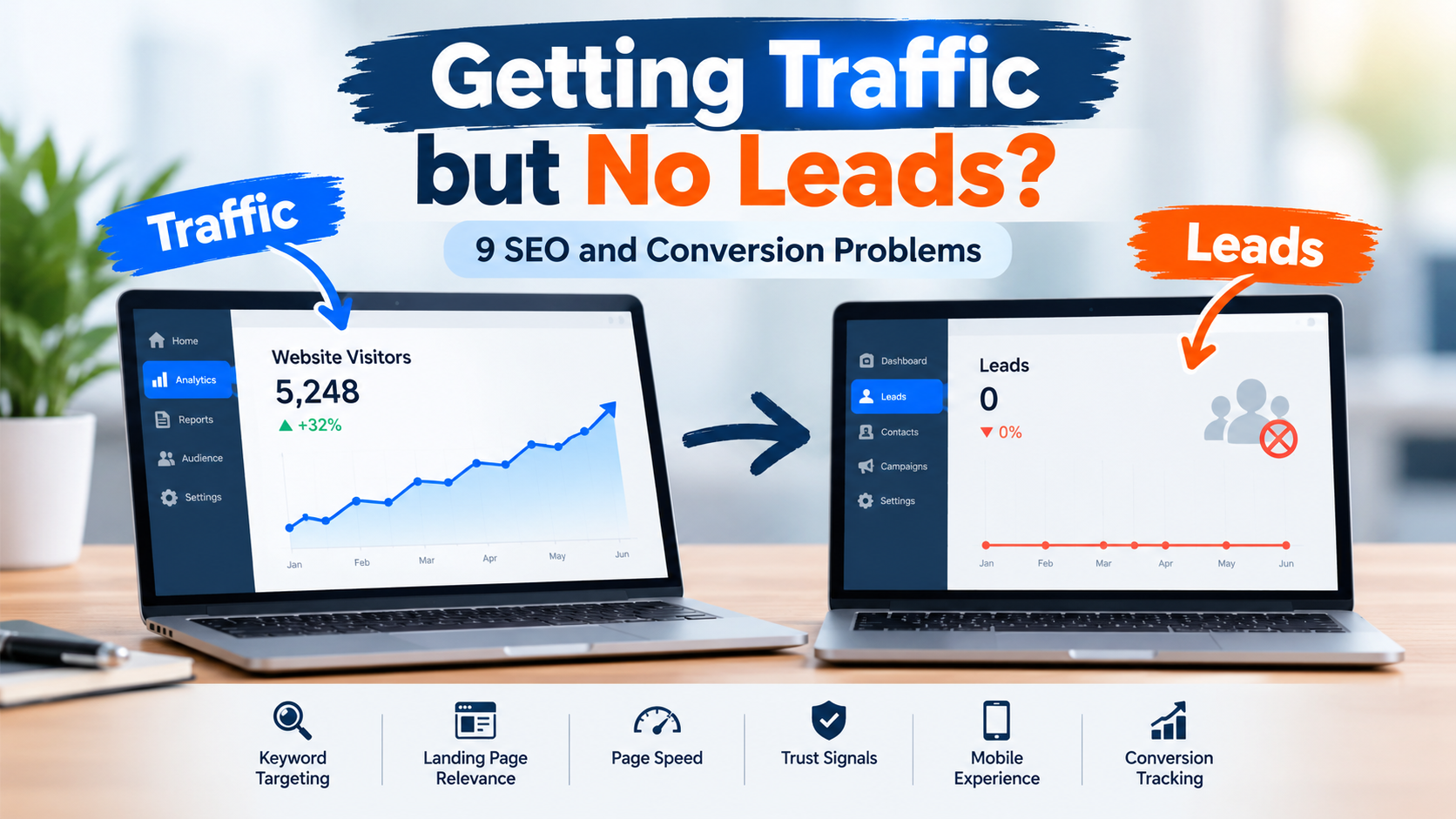
Traffic alone does not guarantee business growth.
The real objective for many websites is conversion.
A conversion could be:
-
Making a purchase
-
Filling out a contact form
-
Booking a consultation
-
Signing up for a newsletter
-
Downloading an e-book
-
Creating an account
-
Requesting a demo
-
Calling a business
Website speed can influence every stage of this process.
1. Slow Checkout Can Increase Cart Abandonment
For e-commerce businesses, performance problems during checkout can be particularly damaging.
A customer may already be interested in a product but abandon the purchase if:
-
The cart takes too long to load.
-
Payment pages are slow.
-
Buttons do not respond quickly.
-
Images or scripts continue loading unnecessarily.
-
The page freezes on mobile devices.
Improving performance throughout the checkout journey can create a smoother purchasing experience.
2. Faster Landing Pages Can Support Lead Generation
Consider a paid advertising campaign.
A business spends money to send visitors to a landing page. If the landing page loads slowly, some visitors may leave before seeing the offer.
This means the company could effectively be paying for traffic that never gets an opportunity to convert.
A fast landing page can help users quickly see:
-
The headline
-
The value proposition
-
Product or service benefits
-
Testimonials
-
Pricing
-
Call-to-action
The faster users understand the offer, the sooner they can take action.
3. Website Speed Can Improve Conversion Opportunities
Imagine two websites receiving 10,000 visitors each.
Website A provides a fast and smooth experience.
Website B takes longer to load and has delayed interactions.
Even if both websites receive the same amount of traffic, Website A may have a better opportunity to generate leads, sales, sign-ups, or other valuable actions.
This demonstrates an important digital marketing principle:
Getting traffic is only half the job. The website must also be capable of converting that traffic.
Common Reasons Websites Become Slow
There are many reasons why a website may perform poorly.
Large Images
High-resolution images can significantly increase page weight.
Images should be compressed and delivered in modern formats where appropriate.
Too Many Plugins
Websites built using content management systems can become overloaded with plugins. Unnecessary plugins may add scripts and increase loading times.
Unoptimized JavaScript
Excessive or poorly implemented JavaScript can delay page rendering and user interactions.
Poor Hosting
Low-quality hosting can result in slow server response times, especially when traffic increases.
Too Many Third-Party Scripts
Analytics tools, chat widgets, advertising scripts, social media integrations, tracking tools, and other third-party resources can affect performance.
Unoptimized CSS
Large or unnecessary CSS files can increase the amount of data browsers need to process.
Lack of Caching
Caching allows frequently requested resources to be stored temporarily, reducing the need to generate or download the same content repeatedly.
How to Improve Website Speed
Improving website performance does not always require rebuilding the entire website.
Here are several practical strategies.
1. Optimize Images
Compress images before uploading them and use suitable dimensions.
Modern image formats such as WebP or AVIF can often provide smaller file sizes while maintaining good visual quality.
2. Enable Browser Caching
Caching allows browsers to store certain website resources locally. When users revisit the website, some resources may load more efficiently.
3. Use a Content Delivery Network
A Content Delivery Network (CDN) distributes website resources across multiple geographic locations.
This can help reduce the distance between users and servers and improve content delivery.
4. Minify CSS, JavaScript, and HTML
Minification removes unnecessary characters such as spaces, comments, and formatting from code.
Smaller files can reduce the amount of data that needs to be transferred.
5. Reduce Unnecessary Plugins and Scripts
Audit your website regularly and remove tools that are no longer required.
Every additional plugin or third-party script should have a clear purpose.
6. Improve Server Response Time
Choose reliable hosting and optimize server-side processes.
Database optimization, efficient backend code, caching, and suitable hosting infrastructure can all contribute to better performance.
7. Use Lazy Loading
Lazy loading allows certain resources, particularly images and videos, to load when they are needed rather than loading everything immediately.
This can reduce the initial amount of content that the browser needs to process.
8. Optimize for Mobile
Always test website performance on mobile devices.
A website should be responsive, easy to navigate, readable, and fast even when users have slower connections.
Tools to Measure Website Speed
Businesses should measure performance rather than relying on assumptions.
Some useful tools include:
Google PageSpeed Insights
PageSpeed Insights can provide performance information for both mobile and desktop experiences and highlight potential optimization opportunities.
Google Lighthouse
Lighthouse is an open-source tool that can audit webpages for performance, accessibility, SEO, and other areas.
Chrome DevTools
Chrome DevTools provides developers with detailed information about network requests, resource loading, JavaScript execution, and performance.
WebPageTest
WebPageTest can be used to analyze how webpages load under different conditions and locations.
Using these tools regularly can help businesses identify performance issues before they negatively affect visitors.
Website Speed and Digital Marketing ROI
Website performance is not only a technical concern. It is also a marketing and business concern.
Consider a company investing in:
-
SEO
-
Google Ads
-
Social media advertising
-
Influencer marketing
-
Email campaigns
-
Content marketing
All these activities can generate website traffic.
But if the website is slow, part of that marketing investment can be wasted.
For example, suppose an advertising campaign generates 20,000 website visits. If a significant number of visitors leave because the landing page takes too long to become usable, the company may lose potential leads and sales.
Improving website speed can therefore support the performance of the entire digital marketing funnel.
Website Speed Checklist
Before launching or optimizing a website, businesses should review the following checklist:
-
Compress large images.
-
Use responsive design.
-
Optimize Core Web Vitals.
-
Reduce unnecessary JavaScript.
-
Minify CSS and HTML.
-
Remove unused plugins.
-
Enable caching.
-
Use a CDN where appropriate.
-
Improve server response time.
-
Optimize databases.
-
Reduce unnecessary third-party scripts.
-
Test mobile performance.
-
Monitor performance regularly.
-
Test important landing pages and checkout pages.
-
Recheck performance after major website updates.
Conclusion
Website speed is no longer simply a technical detail that developers need to worry about. It is an important part of SEO, user experience, conversion optimization, and digital marketing performance.
A slow website can create friction at every stage of the customer journey. Visitors may leave before reading your content, potential customers may abandon forms or carts, and businesses may receive less value from their marketing traffic.
On the other hand, a fast and responsive website can provide a smoother user experience, support stronger engagement, and create better opportunities for conversions.
The most effective approach is to treat website performance as an ongoing process rather than a one-time task. Monitor Core Web Vitals, optimize images and code, improve hosting and caching, test mobile performance, and regularly review unnecessary resources.
Ultimately, website speed connects technology with business results. When your website loads efficiently and responds quickly, you create a better experience for users while giving your SEO and conversion strategy a stronger technical foundation.