Images are an essential part of modern websites. They make content more engaging, communicate information visually and improve the overall user experience. However, simply adding images to a website is not enough. They must also be optimised so that search engines can understand, index and display them effectively.
This is where Image SEO becomes important. Image SEO is the process of optimising website images to improve their visibility in search engine results, enhance website performance and attract organic traffic through image-based searches.
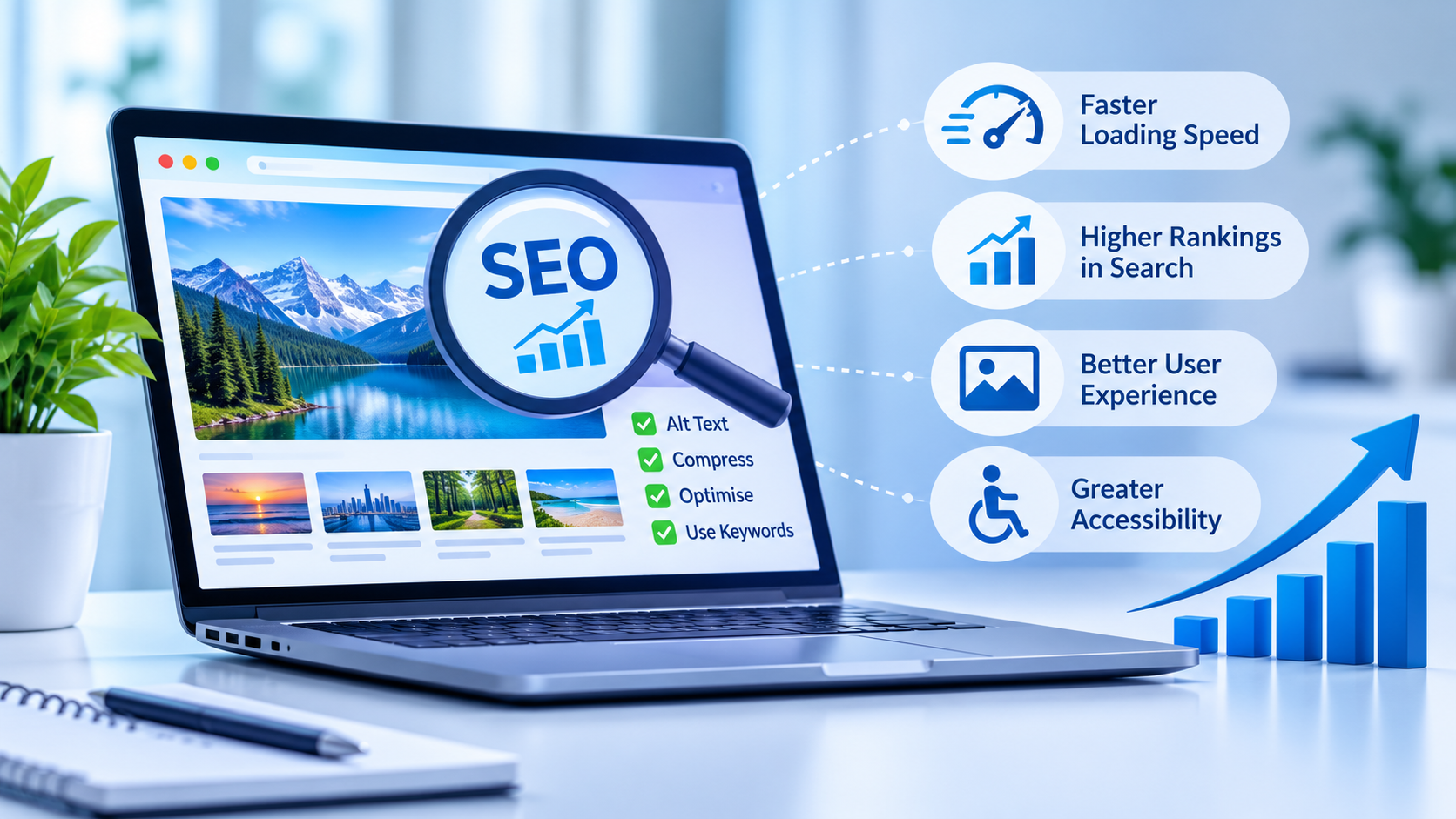
From choosing the right image format to writing descriptive alt text, every optimisation step can contribute to a stronger SEO strategy. Businesses that focus on image optimisation can improve page loading speed, accessibility and their chances of appearing in Google Image Search.
What Is Image SEO?
Image SEO refers to the practice of optimising images so search engines can understand their content and context. It involves improving image file names, alt text, dimensions, formats, compression and placement within website content.
Search engines use different signals to understand images and determine how relevant they are to a particular search query.
For example, an online furniture store using descriptive image names such as "modern-wooden-office-desk.webp" provides more useful context than a generic file name like "IMG1234.jpg".
Effective Image SEO helps search engines interpret visual content while making websites faster and more accessible for visitors.
Why Is Image SEO Important for Website Visibility?
Image optimisation is not just about making pictures look attractive. It can support several important aspects of website performance and search visibility.
1. Improves Visibility in Google Image Search
Google Images provides another opportunity for websites to attract organic visitors. When images are properly optimised with relevant file names, descriptive alt text and useful surrounding content, search engines can better understand their subject.
For example, a website publishing a blog about office interior design can optimise images using descriptive names such as "modern-office-interior-design.webp".
This helps search engines understand the image and potentially display it for relevant image searches.
2. Improves Website Loading Speed
Large image files can slow down website loading times, especially on mobile devices and slower internet connections.
Slow websites can negatively affect user experience and may make visitors leave before exploring the content.
Image compression reduces file sizes while maintaining acceptable visual quality. Using modern image formats such as WebP and AVIF can also help reduce unnecessary image weight.
Faster-loading pages provide a better browsing experience and support overall website performance.
3. Enhances User Experience
Visual content helps visitors understand information more quickly. Product photographs, infographics, illustrations and screenshots make website content easier to explore.
However, poorly sized or irrelevant images can create a negative experience.
Optimised images should be clear, relevant and appropriately sized for different screen sizes. This creates a smoother browsing experience and helps visitors engage with website content.
4. Supports Website Accessibility
Image SEO also contributes to website accessibility through descriptive alternative text, commonly known as alt text.
Alt text explains the content or purpose of an image. Screen readers use this information to help visually impaired users understand visual elements on a webpage.
Writing meaningful alt text makes website content more accessible while also providing search engines with additional context.
5. Supports Overall SEO Performance
Image optimisation is one part of a broader SEO strategy. Properly optimised images can support page performance, content relevance, accessibility and image discovery.
Although image optimisation alone cannot guarantee higher rankings, it can strengthen the technical and on-page SEO foundations of a website.
Best Practices for Image SEO
To improve website visibility through image optimisation, businesses should follow these practical techniques.
1. Use Descriptive Image File Names
Before uploading an image, rename the file using clear and relevant words.
Avoid generic names such as:
-
IMG_2026.jpg
-
image001.png
-
screenshot-final.jpg
Instead, use descriptive names such as:
-
image-seo-best-practices.webp
-
website-speed-optimisation.jpg
-
digital-marketing-strategy.png
Use relevant keywords naturally and separate words with hyphens. Avoid unnecessary keyword repetition.
2. Write Descriptive Alt Text
Alt text is one of the most important elements of image optimisation.
It should accurately describe what an image shows and provide context when necessary.
For example:
Poor Alt Text: image123
Better Alt Text: Digital marketer analysing website SEO performance on a computer screen.
Alt text should be:
-
Relevant to the actual image.
-
Clear and descriptive.
-
Concise and useful.
-
Naturally written rather than filled with keywords.
For purely decorative images, an empty alt attribute is generally appropriate so screen readers can skip them.
3. Choose the Right Image Format
Selecting the correct image format helps maintain visual quality while controlling file size.
Common image formats include:
-
WebP: A modern format that generally provides smaller files than JPEG and PNG at comparable quality.
-
AVIF: Offers efficient compression and can provide excellent image quality at smaller file sizes.
-
JPEG: Suitable for photographs and other complex images.
-
PNG: Useful for graphics requiring transparency or lossless quality.
-
SVG: Ideal for logos, icons and scalable vector illustrations.
Whenever possible, use modern formats supported by your website platform and target browsers.
4. Compress Images Without Losing Quality
Image compression reduces file size and helps improve page loading speed.
Large, uncompressed images can consume unnecessary bandwidth and affect the performance of websites.
Popular tools for image compression include:
-
TinyPNG
-
Squoosh
-
ShortPixel
-
ImageOptim
Choose an appropriate compression level to balance file size and visual quality. Always check the final image before publishing.
5. Optimise Image Dimensions
Uploading unnecessarily large images can increase page weight.
For example, if a website displays an image at 800 pixels wide, uploading a 4,000-pixel-wide image may waste bandwidth.
Use appropriately sized images for their display areas. Implement responsive images through HTML attributes such as srcset and sizes so browsers can select suitable image versions for different screens.
6. Use Responsive Images
A website should display images correctly across desktops, tablets and smartphones.
Responsive images automatically adapt to different screen sizes and device requirements.
This improves the browsing experience and helps prevent unnecessary downloads of oversized image files.
7. Add Images to Relevant Content
Images should support the topic of the webpage rather than being added only for decoration.
For example, a blog about website speed optimisation could include screenshots of performance testing tools or illustrations explaining image compression.
Relevant images provide additional context and make information easier to understand.
8. Create an Image Sitemap
An image sitemap helps search engines discover images that might otherwise be difficult to find, particularly images loaded through JavaScript or included in complex website structures.
Website owners can include image information in an existing XML sitemap or create a separate image sitemap.
This can support image discovery and crawling, although sitemap submission does not guarantee indexing.
9. Implement Lazy Loading Carefully
Lazy loading allows images to load when they are approaching the visible area of a webpage instead of loading every image immediately.
This can reduce the initial page load and improve performance on pages containing many images.
However, avoid lazy-loading important above-the-fold images, especially the main hero image or the Largest Contentful Paint (LCP) image. These should generally be loaded promptly.
10. Use Structured Data Where Relevant
Structured data can help search engines understand the content of a webpage.
For example, product pages can use appropriate Product structured data to provide information about products and their associated images.
Structured data must accurately represent visible page content and follow search engine guidelines. It does not guarantee enhanced search results.
Common Image SEO Mistakes to Avoid
Even websites with good written content can miss image optimisation opportunities because of common technical mistakes.
Here are some issues to avoid:
-
Using generic file names: Unclear file names provide little context about image content.
-
Ignoring alt text: Missing or poorly written alt text can reduce accessibility and remove useful image context.
-
Uploading oversized images: Large files can unnecessarily increase page loading time.
-
Using irrelevant images: Images should support the subject of the page.
-
Overusing keywords: Repeating keywords unnaturally in alt text can create a poor experience.
-
Ignoring mobile optimisation: Images should display properly across different devices.
-
Forgetting image dimensions: Specifying width and height can help browsers reserve space and reduce layout shifts.
-
Using broken image links: Missing images create a poor user experience and prevent search engines from accessing the intended visual content.
Avoiding these mistakes can help create a more accessible, efficient and search-friendly website.
How to Measure the Success of Image SEO
Image optimisation should be monitored regularly to understand whether improvements are making a difference.
Businesses can use several tools to evaluate image performance and search visibility.
Google Search Console: Monitor search performance, including image search traffic through the Search type filter where available.
Google PageSpeed Insights: Identify image-related performance opportunities, such as properly sizing images, serving images in modern formats and reducing image payloads.
Google Analytics 4: Track organic traffic, engagement and conversions to understand how visitors interact with website content.
Google Lighthouse: Evaluate website performance and identify opportunities to improve image delivery and page experience.
Regular monitoring helps businesses identify technical problems and make informed improvements to their image optimisation strategy.
The Future of Image SEO
Visual search, artificial intelligence and increasingly sophisticated search technologies are changing how people discover online content.
Search engines are becoming better at understanding images through visual recognition, page context and other information signals.
Businesses should therefore focus on providing meaningful, high-quality visual content rather than relying only on traditional keyword optimisation.
Accessible descriptions, relevant images, modern file formats and strong website performance will remain important elements of an effective image strategy.
Conclusion
Image SEO is an important part of building a search-friendly website. Properly optimised images can improve visual search visibility, support faster page loading, enhance accessibility and create a better user experience.
From descriptive file names and meaningful alt text to image compression and responsive design, every optimisation step contributes to a stronger website foundation.
Businesses that regularly review their image optimisation practices can make their websites more accessible, efficient and discoverable in search engines.
Optimising images is not just about improving how a website looks. It is about making visual content easier to access, understand and discover.