
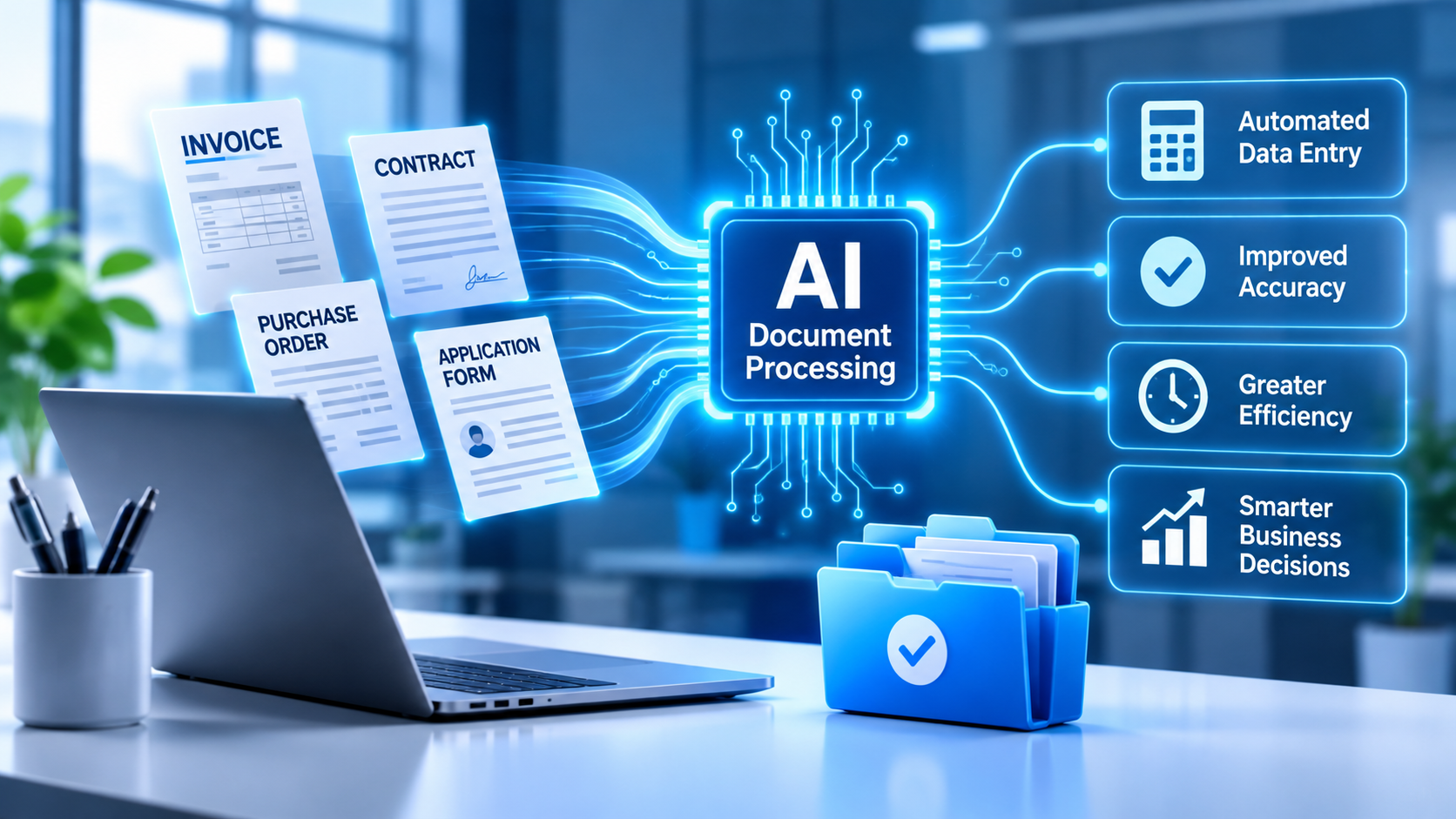
Businesses handle a massive volume of documents every day, including invoices, purchase orders, contracts, employee records, application forms, and customer information. Managing these documents manually can be time-consuming, expensive, and prone to human errors. AI document processing is transforming how organizations collect, extract, organize, and manage business information by automating repetitive document-related tasks.
With advancements in artificial intelligence, machine learning, and Optical Character Recognition (OCR), businesses can now extract valuable information from documents, convert unstructured data into organized formats, and integrate the results into their existing business systems. This technology helps companies reduce administrative workloads, improve accuracy, and make faster business decisions.
What Is AI Document Processing?
AI document processing is the use of artificial intelligence technologies to automatically read, understand, extract, classify, and organize information from digital and scanned documents.
Traditional document management systems primarily store and organize files, while AI-powered document processing goes a step further by understanding the information contained within those files.
For example, when a company receives an invoice, an AI-powered system can identify the supplier's name, invoice number, payment amount, tax details, and due date without requiring an employee to enter each field manually.
AI document processing commonly combines several technologies:
-
Optical Character Recognition (OCR): Converts printed or handwritten text from images and scanned documents into machine-readable information.
-
Machine Learning (ML): Helps systems identify document patterns and improve extraction accuracy over time.
-
Natural Language Processing (NLP): Enables software to understand written language and identify important information.
-
Intelligent Document Processing (IDP): Combines AI technologies to classify documents, extract information, validate data, and automate workflows.
Together, these technologies make document handling faster, more consistent, and more efficient.
Why Businesses Need Automated Document Processing
Manual data entry creates operational challenges, particularly for businesses that process hundreds or thousands of documents regularly. Employees often spend significant time reviewing files, copying information, checking records, and updating spreadsheets or business applications.
AI document processing helps overcome these challenges by reducing repetitive work and improving information management.
Some important reasons businesses are adopting this technology include:
1. Reducing Manual Data Entry
Employees no longer need to manually enter every detail from invoices, forms, or receipts. AI systems can automatically capture relevant information and transfer it into business databases, accounting software, or CRM platforms.
2. Improving Data Accuracy
Manual entry can lead to incorrect figures, duplicate records, missing information, and formatting errors. AI-powered extraction and validation tools help identify inconsistencies and reduce avoidable mistakes. Human review remains important for complex or uncertain documents.
3. Saving Time and Operational Costs
Automating repetitive document-related activities allows employees to focus on higher-value responsibilities. Businesses can process large document volumes without increasing administrative workloads at the same rate.
4. Improving Document Accessibility
AI systems can classify, index, and organize documents, making it easier for employees to locate relevant information whenever required.
5. Supporting Business Scalability
As companies grow, their documentation requirements increase. Automated systems help businesses manage larger workloads without relying entirely on manual processes.
How AI Document Processing Works
AI document processing follows a series of automated steps to convert documents into structured business information.
1. Document Collection
The process begins when documents enter the system through email attachments, uploaded files, scanned copies, digital forms, or business applications.
2. Document Classification
AI algorithms identify the type of document being processed. For example, the system can distinguish between invoices, receipts, contracts, purchase orders, and employee application forms.
3. Data Extraction
Using OCR and machine learning, the system extracts relevant information such as names, dates, addresses, invoice amounts, account numbers, and other important details.
4. Data Validation
The extracted information is checked against predefined business rules, existing records, and required fields. If the system identifies missing or inconsistent information, it can flag the document for human review.
5. Data Integration
Once validated, the extracted information can be transferred into accounting platforms, enterprise resource planning (ERP) systems, CRM software, spreadsheets, or other business applications.
6. Document Storage and Management
The processed documents and extracted information are stored in organized digital repositories, allowing employees to search, retrieve, and manage records more efficiently.
Key Business Applications of AI Document Processing
AI document processing can support multiple departments and business functions. Its applications extend beyond simple data extraction.
1. Invoice and Financial Document Processing
Finance departments regularly handle invoices, receipts, expense reports, and payment records. AI-powered systems can extract invoice details, identify payment deadlines, categorize expenses, and support accounts payable workflows.
This reduces repetitive administrative work and helps finance teams manage financial documentation more efficiently.
2. HR and Employee Record Management
Human resource departments process resumes, job applications, identity documents, employment contracts, and employee records.
AI document processing can extract candidate information, organize applications, identify important details, and simplify employee onboarding documentation.
3. Customer Data Management
Businesses collect customer information through registration forms, applications, feedback documents, and service requests.
AI can extract relevant customer details and transfer them into CRM platforms, helping organizations maintain structured customer databases and improve information accessibility.
4. Contract Management
Legal and business teams frequently review agreements, contracts, and compliance documents. AI-powered systems can identify important clauses, extract dates, locate renewal conditions, and organize contract information.
However, important legal decisions and contract interpretations should still involve qualified professionals.
5. Supply Chain and Procurement
Procurement teams manage purchase orders, delivery receipts, supplier invoices, and shipping documentation. AI document processing can automate information extraction and support faster verification across procurement workflows.
6. Insurance and Banking Documentation
Financial institutions and insurance companies process large volumes of applications, claims, identity records, and supporting documents. AI can help classify these documents, extract relevant information, and streamline verification processes.
AI Document Processing vs Traditional Data Entry
|
Feature |
Traditional Data Entry |
AI Document Processing |
|---|---|---|
|
Data extraction |
Mostly manual |
Automated extraction |
|
Processing speed |
Depends on employees |
Faster for repetitive tasks |
|
Accuracy |
Prone to manual errors |
AI-assisted validation |
|
Scalability |
Requires more manual effort |
Handles larger volumes |
|
Document classification |
Manual categorization |
Automated classification |
|
Integration |
Often requires manual updates |
Can connect with business systems |
|
Employee workload |
High repetitive workload |
Reduced repetitive tasks |
Traditional data entry may still be suitable for businesses with limited documentation. However, organizations processing large volumes of information can benefit significantly from AI-powered automation.
Benefits of Integrating AI Document Processing with CRM Software
One of the most valuable applications of AI document processing is its integration with Customer Relationship Management (CRM) software.
Businesses often receive customer information through multiple channels, including website forms, email attachments, quotations, applications, and service requests. Manually transferring these details into a CRM system can create delays and inconsistencies.
AI document processing can automate this process by extracting customer names, contact details, company information, requirements, and other relevant data.
When integrated with CRM software, it can help businesses:
-
Automatically capture customer information.
-
Reduce duplicate data entry.
-
Organize customer documents and records.
-
Improve lead management processes.
-
Maintain updated customer databases.
-
Support faster sales and customer service workflows.
This integration creates a more connected business environment where information can move between documents and customer management systems with less manual intervention.
Challenges Businesses Should Consider
Although AI document processing offers several advantages, implementing it requires proper planning.
Data Privacy and Security: Business documents may contain confidential customer, employee, and financial information. Companies should use secure systems with appropriate access controls and data protection measures.
Extraction Accuracy: Poor-quality scans, handwritten documents, unusual layouts, and complex tables can affect extraction results. Human verification is important for critical information.
Integration Complexity: Connecting AI tools with existing CRM, ERP, and accounting platforms may require technical configuration and workflow adjustments.
Implementation Costs: Businesses should evaluate software subscriptions, integration expenses, training requirements, and long-term maintenance costs before implementation.
Employee Training: Employees need to understand how automated document workflows operate and when manual verification is necessary.
Selecting the right technology and starting with a clearly defined business process can make implementation more effective.
The Future of AI Document Processing
AI document processing is expected to become an increasingly important part of business automation. As artificial intelligence models improve, document management systems will become better at understanding complex layouts, identifying relationships between information, and supporting more advanced workflows.
Generative AI and intelligent automation are also creating opportunities for businesses to summarize lengthy documents, identify important contract information, generate structured reports, and answer questions based on business records.
Future systems may increasingly combine document processing with workflow automation, CRM platforms, cloud storage, and enterprise applications.
For businesses, this means document management will gradually move beyond storing files towards creating actionable business information.
Conclusion
AI document processing is changing how businesses handle data entry and document management. By combining OCR, machine learning, natural language processing, and intelligent automation, organizations can reduce repetitive administrative tasks, improve data accessibility, and streamline everyday operations.
From invoice processing and HR documentation to customer information management and contract workflows, this technology offers practical benefits across different industries.
Businesses looking to improve operational efficiency should consider integrating AI document processing with their existing business software. With the right implementation strategy, it can become an important foundation for building smarter, more connected, and scalable business operations.